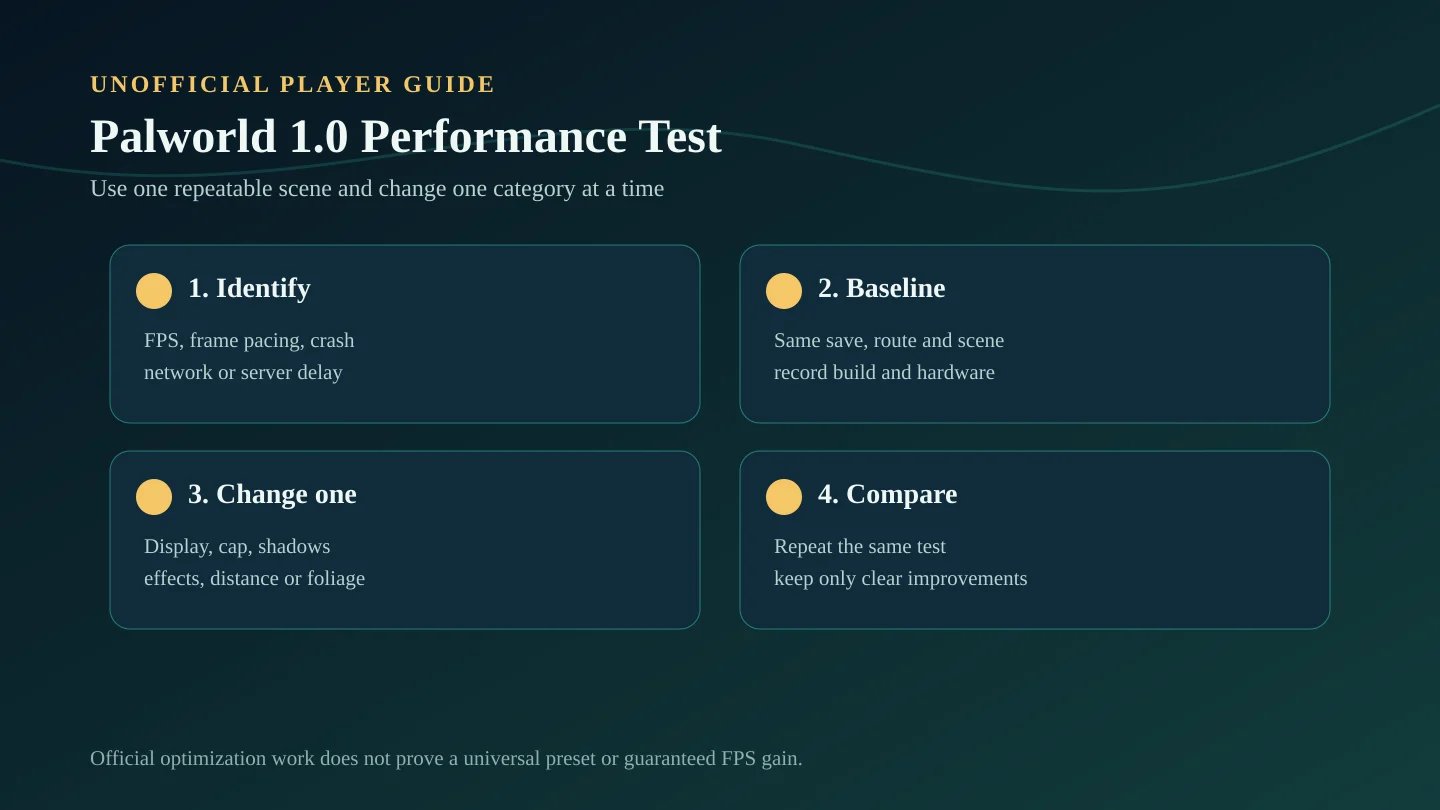
Identify the problem before changing settings
Low average FPS, uneven frame pacing, traversal stutter, crashes, input delay, network latency, and server simulation delay are different problems. A graphics preset cannot solve all of them.
Write down where the problem happens, whether it affects solo and multiplayer, whether other players feel it, and whether it begins immediately or after a long session.
Symptom diagnosis
| Symptom | Likely category | First controlled check | Do not assume |
|---|---|---|---|
| Consistently low FPS | GPU/CPU load or resolution | Test the same scene with a lower render load | One copied preset fits every PC |
| Uneven motion despite acceptable FPS | Frame pacing or streaming | Use a stable frame cap and repeat the same route | Average FPS tells the whole story |
| Stutter near dense bases | World/object simulation or rendering | Compare away from the base and after restart | Only graphics settings are responsible |
| All players delay together | Host/server/network | Compare client FPS with server behavior | Each player's GPU is the cause |
| Crash or infinite load | Files, MODs, driver, memory, or save state | Back up; remove MODs; verify files; test clean | A quality slider alone will fix it |
Create a repeatable benchmark
- Choose one save, location, route, weather condition, and camera direction.
- Close unnecessary background workloads and note the current game build and driver.
- Test long enough to include movement, combat effects, foliage, and a representative base if relevant.
- Change one category, repeat the same route, and compare smoothness, image quality, temperatures, and crashes.
- Revert changes that do not produce a clear benefit.
Safe graphics-setting order
Start with display behavior and render load, then move to scene complexity. This order makes it easier to tell which change helped instead of replacing the entire preset at once.
| Order | Category | What to observe |
|---|---|---|
| 1 | Resolution, display mode, upscaling | Image clarity, GPU load, UI readability |
| 2 | Frame cap and VSync | Frame pacing, tearing, input feel |
| 3 | Shadows and effects | Combat dips and GPU-heavy scenes |
| 4 | View distance and foliage | Traversal, dense areas, object visibility |
| 5 | Remaining quality options | Small visual gains versus measurable cost |
Client FPS versus server or network delay
A client can render smoothly while interactions, Pals, or other players update late. If multiple players experience the same delay at the same time, inspect the host, server workload, connection indicators, world simulation, and restart behavior before reducing every client's graphics quality.
Pocketpair confirms dedicated-server optimization and stability work, but it does not publish a universal capacity increase. Real player count, base load, memory behavior, and long-session stability need in-game verification.
Crash and loading checklist
- Back up the affected save before repeated testing.
- Remove old MOD files and loaders manually; disabling them may not be enough.
- Verify game files and reproduce on a clean unmodded launch.
- Check available storage, background memory pressure, and driver stability.
- Compare a new or test save with the important world to separate installation issues from world-specific issues.
- Check later official hotfix and known-issue notices before applying unrelated fixes.
What the official optimization notes do and do not prove
The official changelog confirms engineering work in several high-load areas and a large bug-fix pass. It does not guarantee a specific FPS increase, eliminate every crash, or establish the best preset for a particular CPU, GPU, resolution, platform, save, or server.
Any exact recommendation should state the hardware, resolution, build, test location, target frame rate, and measured result. Needs in-game verification.
Source note
This guide uses Pocketpair's official v1.0 optimization and bug-fix sections as the factual baseline. The troubleshooting order is a cautious testing framework and does not claim universal performance gains.